
Your Action Items
Action Items sits on the right of your Dashboard and gathers up the loose ends: students who keep missing sessions, sessions without observations, and sessions whose status Spark can’t work out. When there’s nothing outstanding it tells you so.
Students Missing Consecutive Sessions
The first item flags students who have missed several sessions in a row, with how many each has missed. Review Session History opens that student’s history so you can see the pattern rather than just the count.
Only the first few students show. If more are flagged, Show more opens the full list.
This is the item worth acting on outside Spark. A student missing three sessions in a row is usually a scheduling or attendance problem that needs a conversation with the school, not something you can fix in the platform.
Sessions Missing Observations
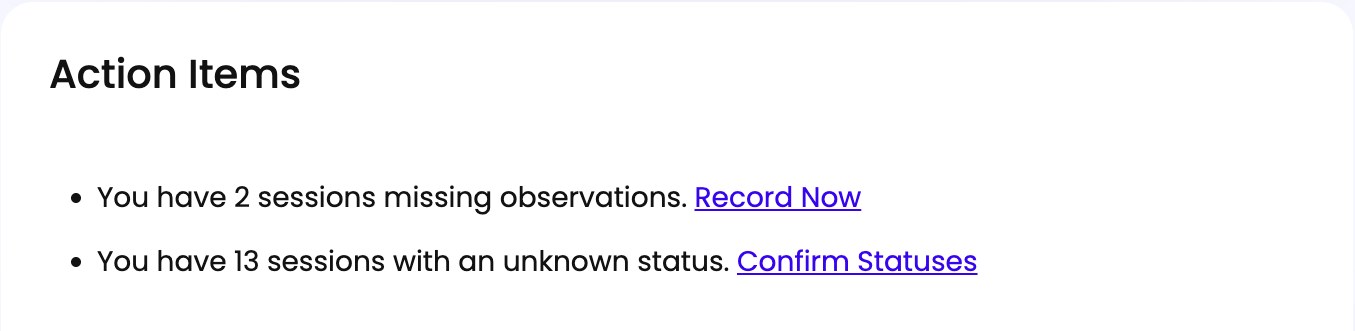
Tells you how many sessions still need observations recorded. Record Now opens a list of them with an Edit Observations button on each, so you can work through them one after another rather than finding each session on your calendar.
Observations cover a student’s whole week and stay editable until the week closes on Saturday, so this is a genuine deadline rather than a nag. See Adding Observations After a Session.
Sessions with an Unknown Status
Tells you how many sessions Spark can’t classify. Confirm Statuses opens them as a list with an Edit Status button on each, so you can clear a backlog in one sitting.
An Unknown status means the session’s time has passed with no assessment or activity data attached. See What Each Session Status Means and Confirming Whether a Session Happened.
The Numbers Above It
Four figures sit above Action Items, each linking to where you can dig in:
- Assigned Students - how many students are assigned to you, with a Students link.
- Groups - how many groups you have, with a Groups link that opens the Groups view of My Students.
- Avg. Attendance - your average attendance across sessions, with a Reports link.
- Avg. Sessions / Week - how many sessions you’re teaching in a typical week, with a Schedule link. Reads Avg. Session / Week when that works out to one.
The two averages read N/A until there’s enough data to calculate them, which is normal early in a program.