
Where to Find Help in the Platform
Most questions have an answer you can get to in seconds without leaving Spark. Three places, and they are worth trying in this order.
1. The Knowledge Bot, Inside Spark
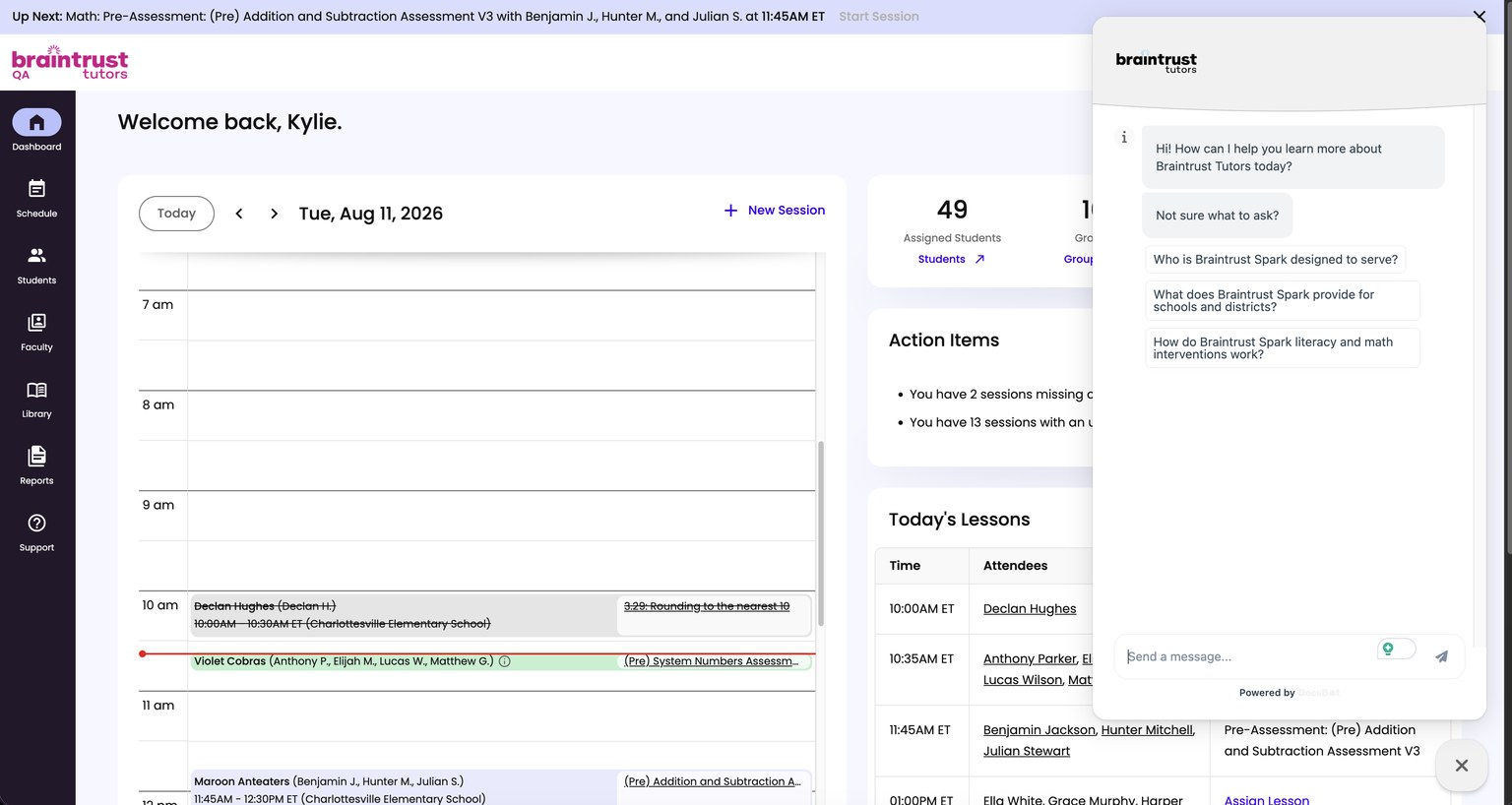
Look for the chat bubble in the bottom right corner of any Spark screen. Click it and ask your question in plain language. It answers from Braintrust’s documentation, so it is the fastest way to settle something mid-session without hunting for an article.
This is the one most Instructors forget exists. It is on every page, so there is nothing to navigate to.
2. This Help Center
When you would rather read a procedure end to end than ask a question, come here. It covers workflows, tutorials, interactive demos of the real screens, and screenshots.
Two ways to use it:
- Start with your day. Your Day in Spark walks the whole teaching day in order, with a clickable demo at each step. Best if you are new, or if you want to see how the pieces connect.
- Look up one thing. The sections in the left navigation are organized by feature area, so if you know what you need, go straight to it. Search covers every article.
3. Your Braintrust Team
Two kinds of question belong with a person rather than a bot or an article:
- Something is not working the way you expect. Use Contact Support on the Support page in the left navigation.
- You need direction on what to teach next. Whether a group is ready to move on to the next domain, or should reteach first, is guided by Braintrust’s Instructional Support team.
See Contacting Your Braintrust Team.