
Running the Device Check
The Device Check is a quick run-through with your students in an online session. You confirm each student’s webcam, microphone, speakers, and images are working, and note anything that isn’t. It lives on the Session Agenda tab.
Where to Find It
Open the Session Agenda tab. The Device Check section sits below the agenda.
On an Icebreakers session, the section opens on its own until you submit a check. On any other session it starts closed - click Device Check to open it.
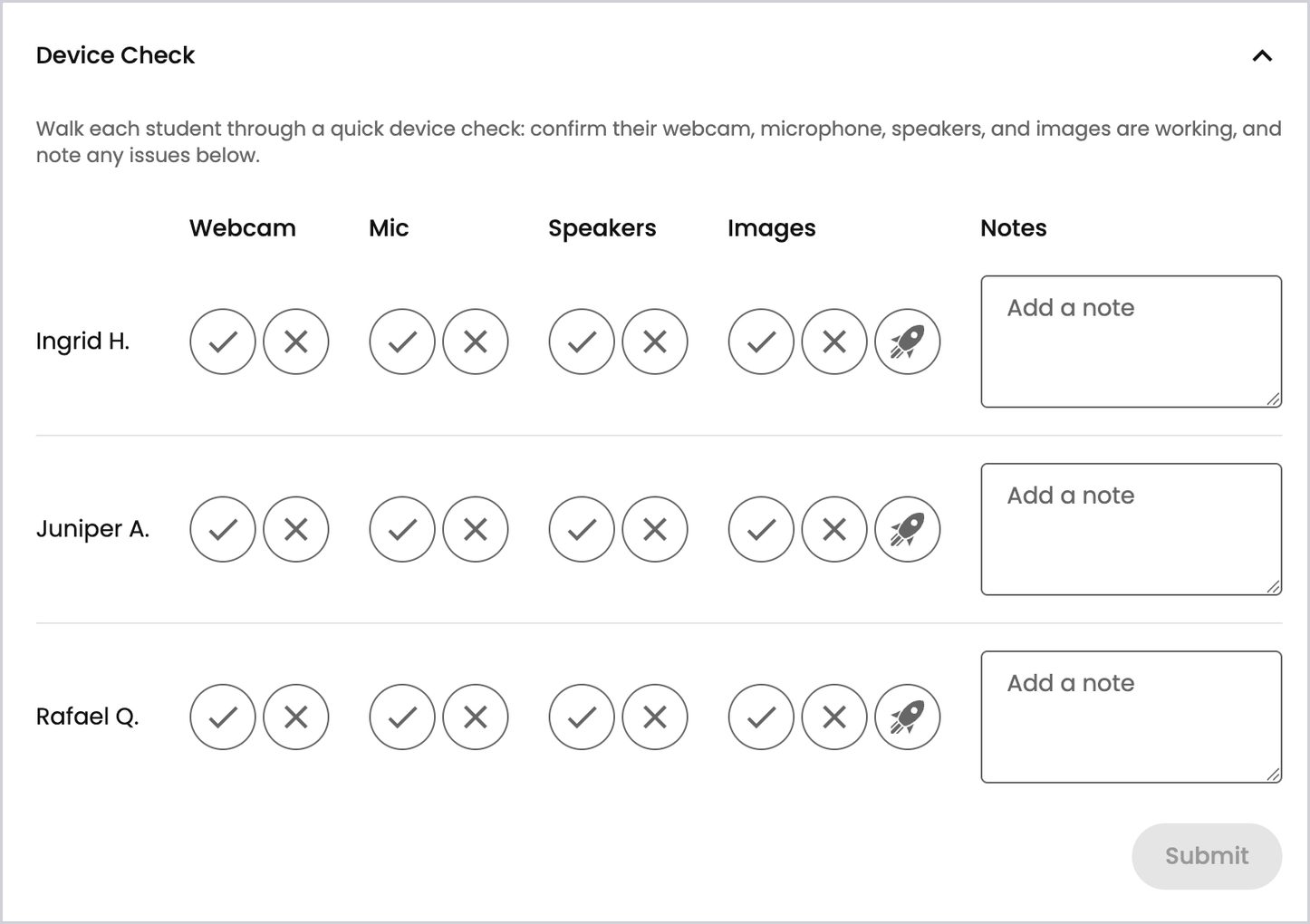
Checking Each Student
Each student in the session gets a row, with columns for Webcam, Mic, Speakers, and Images, plus a Notes box.
- Ask the student to try each one.
- Click the check mark if it works (it turns green) or the X if it doesn’t (it turns red). Click the same button again to clear it.
- Add a note for anything worth recording, like which part isn’t working.
- Click Submit.
Submit turns on once you’ve marked at least one item. You don’t have to mark every box before you submit.
The Image Check
The rocket button next to a student’s Images buttons sends that student a sample image. The student sees an Image Check panel asking them to let you know if they can see the image, with a few answer choices and a Next button, the same way an activity question looks. Ask what they see, then mark Images with the check mark or the X.
The button spins for a moment while the image goes out. It only appears when there’s an image check ready to send.
Flagged Issues
Every X you mark shows up in a red Issues flagged box below the grid, with the student’s name and the item that isn’t working. Look it over before you submit.
After You Submit
The section closes once you submit. While it’s closed, a label on it sums up where things stand:
- All good - nothing was flagged, and every student has at least one item checked.
- A count of issues, such as 2 issues, when something was flagged.
- Unsaved changes - you changed something after your last submit.
To fix a mistake, open the section, change the marks or notes, and click Submit again.