
Making a One-Time Change to Your Schedule
Sometimes one session needs to move: students miss a day, or the school calendar shifts. You can take that one session off your schedule and add a single replacement on another day. The rest of your recurring sessions stay as they are.
Step 1: Take the Session Off Your Schedule
How you do this depends on whether the session’s time has already passed.
If the session already passed and didn’t happen, mark it as not having happened rather than deleting it. It stays on your schedule as Canceled, so there’s a record of the missed day. See Confirming Whether a Session Happened.
If the session is still upcoming, you can delete it:
- Find the session on your calendar. On the Dashboard, use the arrows next to the date to move to the session’s day.
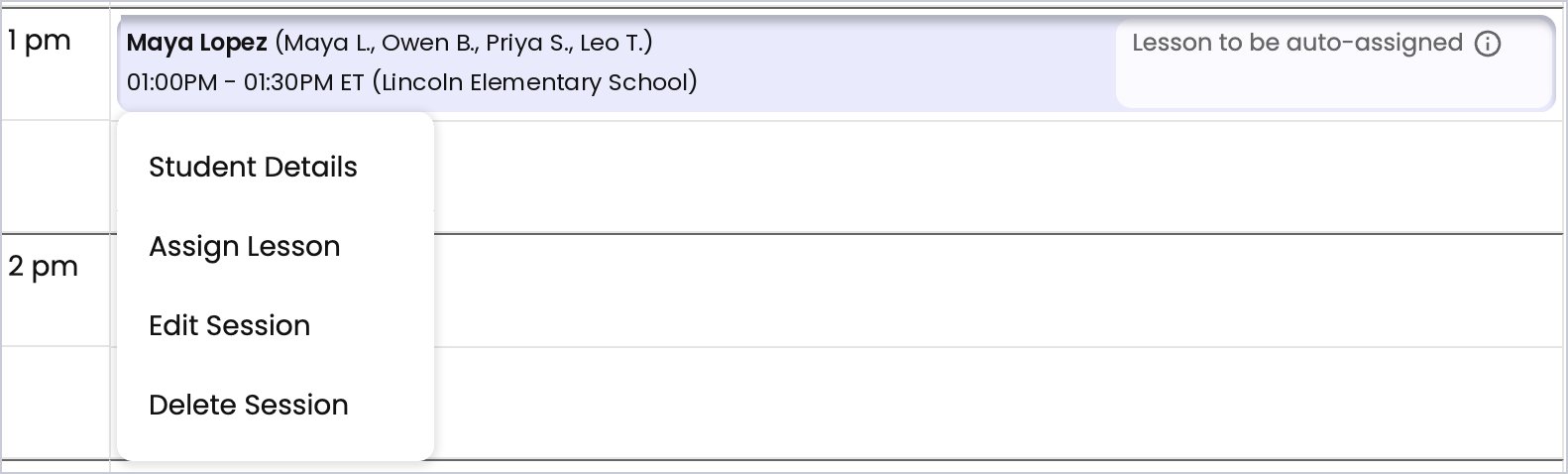
- Click the session. A menu opens with Assign Lesson, Edit Session, and Delete Session.
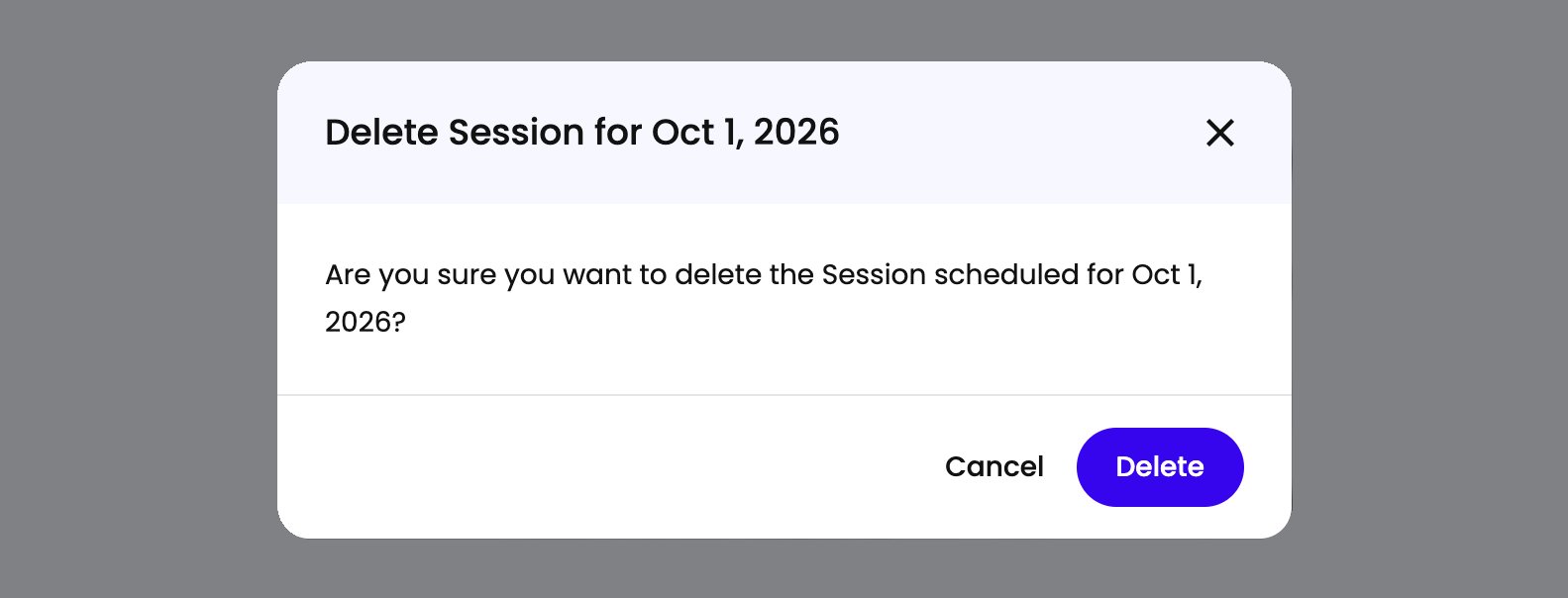
- Click Delete Session. Spark asks you to confirm the date of the session you’re deleting.
- Click Delete. The session comes off your calendar.
Step 2: Add a Single Session on Another Day
- Go to the day you want. On the Dashboard calendar, use the arrows next to the date to move to that day. The new session is created on whichever day the calendar is showing.
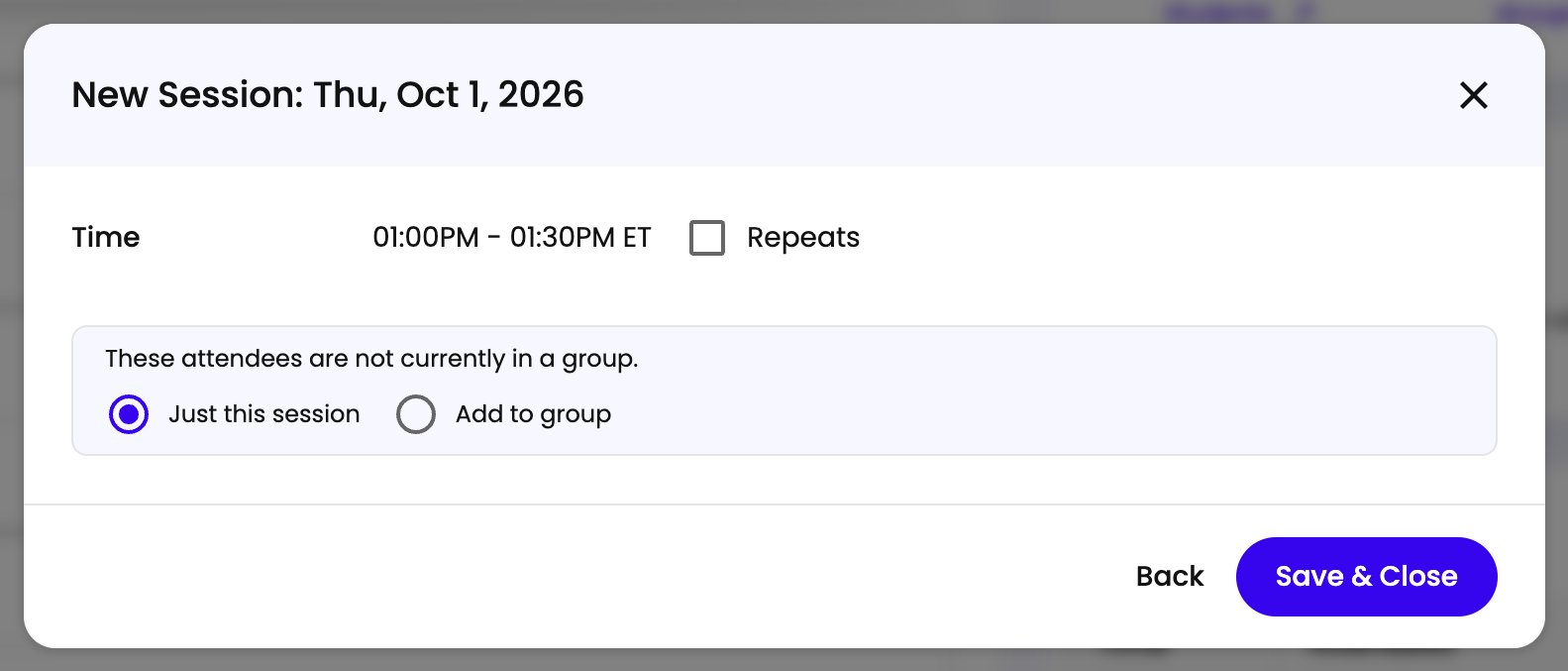
- Click New Session. It’s at the top right of the calendar. The form that opens shows the date at the top, for example New Session: Thu, Oct 1, 2026.
- Fill in the session. Set the Time (a start and an end), pick the Program, and use Add Students or Groups to choose who’s attending. Click Next.
- Uncheck Repeats. This makes it a one-time session.
- Choose Just this session if Spark asks. If the students you picked aren’t in a group together, Spark notes it and offers Just this session or Add to group. Just this session is preselected when Repeats is off, and it’s the right choice for a one-time makeup.
- Click Save & Close. The session appears on your calendar for that day.
Spark assigns content to the new session the same way it does for any other. See How Content Gets Assigned to Your Sessions.